

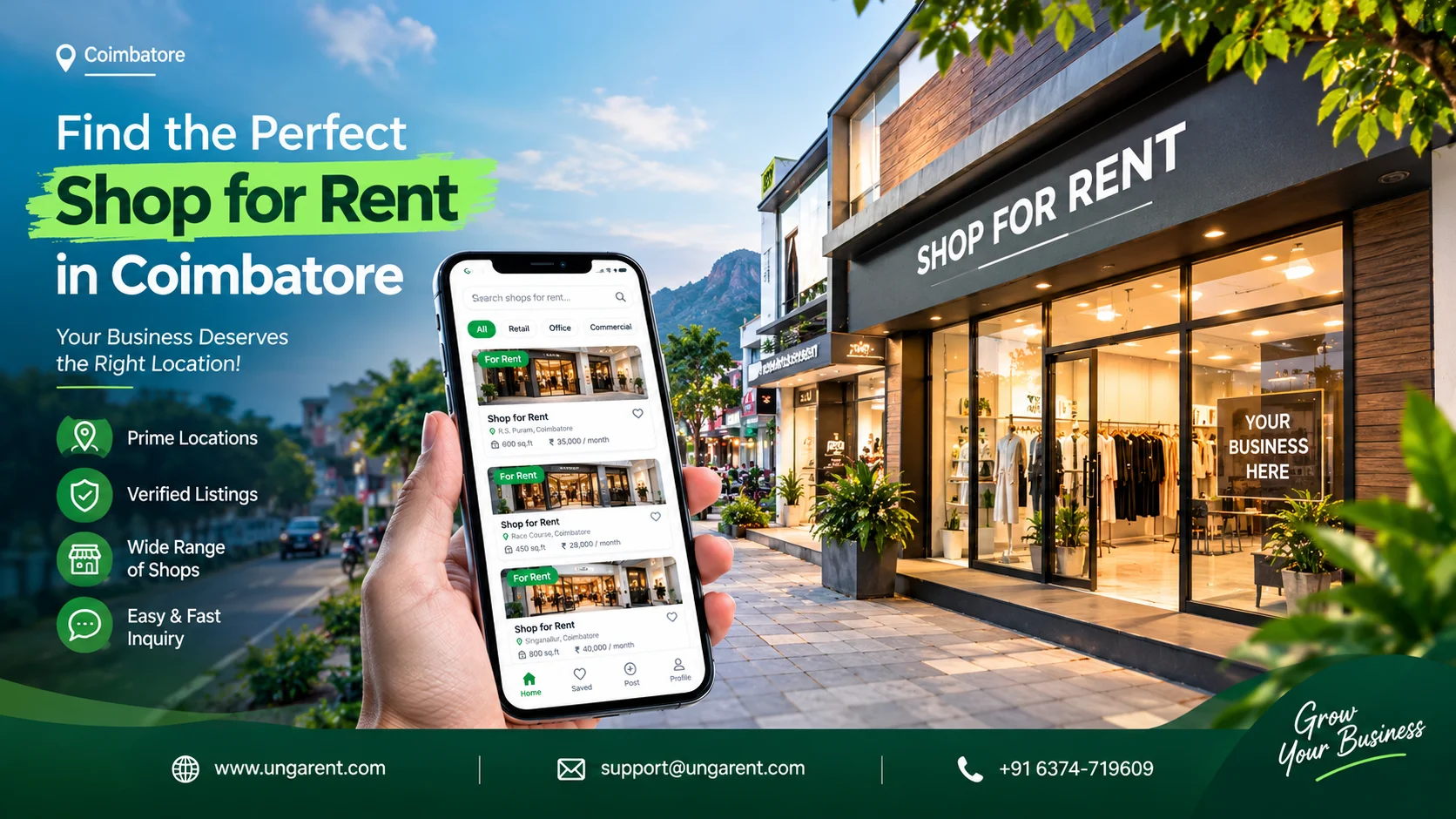
If you own a vacant shop in Coimbatore, an app or website built for property listings is one practical way to show it to prospective tenants. You can present the location, size, photographs, rent, deposit and availability in one place, instead of relying only on a “To Let” board or word of mouth. This article explains how to do that properly.
So what should a shop owner look for in an app to list a shop for rent in Coimbatore? Check that the platform accepts commercial properties. Make sure it lets you describe the shop in detail, upload photographs, state rent and deposit clearly, and update the listing later. Look for transparent fees, sensible privacy guidance and a way to reach support.
No platform can promise tenants. Enquiries depend on the location, rent, suitability of the premises, quality of your listing, the platform’s reach and how quickly you respond. A good platform helps you present the shop clearly. The rest depends on you.
Why Shop Owners in Coimbatore Should List Commercial Properties Online
A signboard reaches people who walk past the shop. An online listing can be seen by business owners who are comparing options before they visit anywhere. These are the practical advantages for an owner:
Digital property details. Location, area, rent and conditions sit in one place, so you answer fewer repeat questions.
Clear photographs. A tenant can judge the frontage, interior and layout before spending time on a visit.
Location and floor area. A tenant planning a small retail outlet needs the approximate size and position of the shop.
Transparent charges. Rent, deposit and any other applicable charges can be stated up front.
Accurate descriptions of suitable use. You can say what the premises have been used for and what is verified as permitted.
Easy sharing. A listing can be forwarded to a prospective tenant or a business contact without retyping details.
Updates. You can change availability, rent or conditions when they change.
Organised enquiries. Interested people can contact you through one channel rather than scattered calls.
Advertising a property is not the same as guaranteeing a tenant. A listing makes your shop available to be found. It does not create demand, and it cannot compensate for an unrealistic rent, poor photographs or an unresponsive owner. Treat it as a tool that improves your chances, not a promise of rental income.
What Is an App to List Shop for Rent?
An app to list a shop for rent is a mobile app or website where property owners publish rental information about commercial premises. The owner creates a listing, adds photographs, enters details such as location, area, rent and deposit, and publishes it. Interested people can then view the listing and contact the owner.
A few terms are often confused, so it helps to separate them:
Commercial property listing platform: a place to advertise a property so prospective tenants can find it. This is what this article focuses on.
Property management application: software for managing a property after it is let, such as rent tracking, maintenance records or tenant communication. It is not primarily for finding tenants.
Real estate agent or broker: a person or firm who markets the property, negotiates and often handles paperwork, usually for a fee or commission.
General classified advertising platform: a broad marketplace for many kinds of goods and services. Commercial property is one category among many, and the listing format may be less suited to rental details.
Features, costs, listing rules and supported property categories differ between providers. Always read the current terms of any platform before you publish.
How to Choose the Right Shop Rental Listing App in Coimbatore
Choosing a platform is easier if you compare it against your own needs. Go through this checklist for each option you consider.
Is commercial property an eligible category? Some platforms focus on homes and PGs. Confirm that shops or retail space are accepted.
Does it cover your location? Check whether you can select Coimbatore and describe the locality accurately.
Can you describe the shop properly? Look for fields for floor area, floor level, frontage and utilities, or at least a free-text description.
Can you upload photographs? You should be able to show the exterior, entrance and interior.
Can rent, deposit and other terms be displayed? Hidden or missing terms waste both sides’ time.
Can you edit the listing? You will need to change rent, availability or details later.
What contact options are offered? Find out whether tenants contact you directly, through the platform or
via a form, and whether your phone number is shown publicly.
Are fees transparent? Check for listing charges, paid upgrades, subscriptions or commissions before you commit.
What privacy and safety guidance is provided? Look for clear policies on how your contact details are handled.
Is support available? You may need help correcting a listing or reporting a suspicious enquiry.
Compare platforms by writing the ten points in a simple table and noting what each one offers. An owner of a street-facing shop may care most about photographs and frontage details. An owner of a unit in a shopping complex may care more about describing floor level and facilities. Do not rely on rankings or “top apps” lists that give no evidence. Check each platform yourself.
Types of Shops and Commercial Spaces Owners Can List
Many kinds of commercial premises can be advertised, depending on what the platform accepts:
Retail shops for general trade, such as clothing, groceries or electronics.
Small commercial units suited to service businesses, clinics or small offices.
Street-facing shops with direct road frontage.
Showrooms with larger display areas.
Office-cum-shop spaces, where the layout suits both uses.
Food-service premises, where the building and local rules permit this use.
Shopping complex units within a larger building.
Other eligible commercial spaces that the platform accepts.
Describe the actual approved or permitted use of your property. If you are not sure whether the premises can be used for a particular business, such as a restaurant or a clinic, say that the tenant should confirm requirements, rather than implying approval. Also remember that not every platform supports every category, so confirm eligibility before you spend time preparing a listing.
Step-by-Step Guide to Listing a Shop for Rent Online
Step 1: Prepare the Shop
Clean the premises, clear any clutter and make sure lights, fans and shutters work. Open the shop so natural light comes in. A clean shop photographs better and gives visitors a better first impression.
Be honest about limitations. If the shop has a low ceiling, a narrow entrance or a pillar in the middle of the floor, do not hide it. A tenant who discovers it on a visit may leave, but one who knew in advance and still visits is more likely to be serious.
Step 2: Collect Accurate Property Information
Prepare these details before you start:
General location and address details (you do not need to publish the full address)
Approximate floor area
Floor or unit location
Frontage and access details, if relevant
Available utilities and facilities, such as electricity, water, restroom and storage
Rental amount
Deposit and any additional charges, such as maintenance
Availability date
Permitted uses, where you have verified them
Measure the floor area or check it against your property documents. An inaccurate figure is one of the fastest ways to lose a prospective tenant’s trust.
Step 3: Decide a Realistic Rental Price
Look at similar commercial spaces in comparable areas. Compare size, frontage, accessibility, condition, facilities and any restrictions on use. Ask owners of nearby shops, local commercial property contacts or the listings on platforms what comparable spaces are being offered at.
This article does not quote current rental rates for Coimbatore because they change by area and over time. A rent set well above comparable spaces may get fewer enquiries, and one set far below may undervalue the property. Decide your price after doing your own comparison.
Step 4: Take Clear Photographs
Photograph the exterior from the road, the entrance, the interior from the doorway and from the back, the usable floor space, the access points and any genuine facilities such as a restroom, a storage area or a loading entry. Take pictures in daylight and keep them level.
Use only photographs of your own shop, taken recently. Never use another property’s pictures or images that make the shop look larger than it is. A misleading photo costs you credibility the moment someone visits.
Step 5: Write an Informative Listing Title
A good title includes the property type, the relevant location and one genuine distinguishing feature. Here are fictional examples:
“Ground-Floor Shop with Road Frontage, Saravanampatti, Coimbatore”
“Compact Retail Unit in Shopping Complex, Town Hall Area”
“Showroom Space with Parking Access, Peelamedu”
These are illustrations only and do not refer to real properties. Avoid vague titles such as “Shop for rent, good location,” which tell the reader nothing.
Step 6: Prepare a Complete Property Description
Describe the space, its location, rental terms, access, facilities and any relevant conditions in plain language. Write in short paragraphs. Mention the layout, the nearest main road or landmark, and anything a business owner would ask first, such as whether there is a restroom or a rear entrance.
State what you know and avoid guessing. If you do not know whether a use is permitted, say so rather than implying it is.
Step 7: Select a Suitable Listing Platform
Use the checklist in the earlier section. Review commercial property support, fees, listing rules, privacy and enquiry options before you choose. You may decide to list on more than one platform, but keep your details consistent so a tenant who sees two listings finds the same rent and availability.
Step 8: Publish and Review the Listing
Before you publish, check spelling, photographs, price, location, property category and contact details. Then view the published listing as a tenant would. Confirm that the photos display in the right order and that nothing looks wrong.
Step 9: Respond to Enquiries
Reply promptly and politely. Answer questions about the premises, share rental terms plainly and offer a clear time for a visit. If someone asks about a use you have not verified, tell them honestly and suggest they confirm requirements themselves.
A slow or vague reply often means the prospective tenant moves on to another listing.
Step 10: Update Availability
When the shop is let, remove the listing or mark it as unavailable. If rent, availability date or conditions change, edit the listing. An outdated listing leads to wasted calls and damages your reputation as an owner.
How to Create an Attractive Shop Rental Listing
An effective commercial listing is complete, accurate and easy to scan. Include:
A clear headline
Accurate location
Shop type
Approximate floor area
Frontage and entrance details, if relevant
Floor level
Available utilities
Parking or loading access, if genuinely available
Rent and deposit
Other charges
Suitable or permitted uses, where verified
Property condition
Availability date
Recent photographs
Contact or enquiry instructions
Transparent rental terms help prospective tenants judge whether the shop fits their budget and plans. A tenant who sees rent, deposit and maintenance upfront can decide quickly, and the enquiries you get are more likely to be serious.
Local Shop Rental Listing Tips for Coimbatore Property Owners
A prospective tenant often decides on location first. Accurate local details help them judge whether the shop suits their business. Coimbatore areas such as Gandhipuram, RS Puram, Peelamedu, Saravanampatti, Town Hall, Ukkadam and Singanallur are used here only as examples of how owners might describe where a shop is. This article does not claim that any of them has higher demand or particular rental rates.
Describe these things accurately:
Nearby landmarks: a well-known junction, hospital, school or complex helps a reader place the shop.
Road access: note whether the shop is on a main road, a side road or inside a lane.
Shop frontage: state the width and number of entrances if you know them.
Visibility from the road, where applicable: say so only if it is true.
Public transport access, where known: mention nearby bus stops if you are sure.
Nearby commercial facilities, where relevant: banks, markets or offices nearby may matter to some businesses.
Floor area and layout: a simple description of the shape and usable space.
Parking or loading facilities, if available.
Actual permitted property uses.
Avoid statements such as “high footfall” or “best market in the city” unless you can support them. A tenant will form their own view when they visit, and they will trust you more if your description matches what they see.
Common Mistakes to Avoid When Listing a Shop for Rent
Using vague listing titles. Include property type, location and one real feature so the title says something.
Uploading unclear or outdated photographs. Take new pictures in daylight whenever the shop’s condition changes.
Providing inaccurate floor area. Measure the space or check it against documents, and say “approximate” if you are unsure.
Hiding additional rental charges. List maintenance, deposit and any other charges openly. Surprises later create disputes.
Giving incomplete location information. Provide the locality, a nearby landmark and road details without publishing sensitive information.
Making unsupported claims about footfall. Describe the surroundings factually and let the tenant judge.
Claiming a use is permitted without verification. If you have not confirmed it, say the tenant should check their specific requirements.
Leaving outdated listings online. Remove or update a listing once the shop is let or the terms change.
Ignoring prospective tenant enquiries. Reply even if the answer is “no longer available.”
Sharing sensitive personal information publicly. Do not publish identity documents, financial details or more of your address than needed.
Paying listing fees without reading the terms. Check what is included, how long the listing runs and what the refund conditions are.
Using misleading photographs or descriptions. Exaggeration may bring more calls, but those calls rarely turn into agreements, and it harms trust.
In every case, accuracy and transparency help you more than exaggerated promotional language.
How UngaRent Can Help Commercial Property Owners Explore Listing Options
UngaRent (https://ungarent.com/) is a property rental platform that lets owners list properties and lets people browse them. Based on the information on its official website at the time of writing, the site shows a Commercial category alongside residential categories, and it displays examples of commercial listings such as shops and office space. Coimbatore appears among the cities on its homepage. The website also lists a mobile app on Google Play and the App Store, and it offers phone, WhatsApp and email contact details.
The website describes its approach as one where owners deal directly with tenants and mentions zero brokerage. Treat that as the platform’s own description. Before you list, read the current terms on the site or ask UngaRent directly what fees, if any, apply to commercial listings, what the listing process involves and what the policies are for your property type.
This article does not claim that listing on UngaRent is free, that it will bring a set number of enquiries, or that any commercial listing in Coimbatore will be let. Owners who want to explore it should visit the website, review the current commercial property options and contact the team if anything is unclear.
Safety and Practical Considerations for Commercial Landlords
Renting out a shop involves a business relationship that may last years, so a few precautions are sensible.
Verify prospective tenants appropriately. Ask for basic identification and business details, and check them in a way you are comfortable with.
Arrange shop visits safely. Meet during daylight, preferably with someone else present, and avoid sharing personal details before you need to.
Document rental conditions clearly. Put rent, deposit, notice period, maintenance and permitted use in writing.
Review the proposed business use and relevant permissions. Ask the tenant what they plan to run and whether any licences are needed.
Protect identity and financial information. Share bank details only when an agreement is in place, and never share OTPs or passwords.
Be cautious of suspicious payment requests. Be wary of anyone who offers to pay a large amount in advance, asks you to pay a fee first, or sends an unusual cheque or payment link.
Keep records. Save agreements, receipts and messages about agreed terms and payments.
Review local requirements with a qualified professional where needed. A lawyer or chartered accountant can advise on agreements, registration and tax matters.
A listing platform does not guarantee that every enquiry is genuine, so apply your own judgement at every stage.
Frequently Asked Questions
What is the best app to list a shop for rent in Coimbatore?
The best choice depends on your needs. Compare platforms on commercial property support, local relevance, listing options, pricing transparency and enquiry facilities. No single app suits every owner, so check each one’s current features and terms yourself rather than relying on unsupported rankings.
How can I list my shop for rent online in Coimbatore?
Collect accurate property details, take clear photographs and decide your rent and deposit. Then choose a suitable platform, publish the listing and check it carefully. After that, respond promptly to enquiries, arrange visits and update or remove the listing when the shop is no longer available.
Which details should I include when listing a commercial shop?
Include the location, approximate floor area, rent, deposit, available facilities, access details, property condition, availability date and any relevant restrictions on use. Add recent photographs and clear contact instructions. The more complete and accurate the listing, the easier it is for serious tenants to decide.
How do I decide the rent for my shop in Coimbatore?
Compare similar commercial spaces in comparable areas, and consider location, size, frontage, condition, access and facilities. Check what nearby spaces are currently offered at. Rents change over time, so base your price on your own current comparison rather than on a fixed figure from an article.
Can I list a small retail shop or showroom online?
Usually yes, but it depends on the platform’s supported property categories. Some platforms accept only homes, while others include commercial spaces. Check the current listing rules before you publish, and confirm that the platform allows small retail shops and showrooms.
What photographs should I upload for a shop rental listing?
Upload recent, clear photographs of the exterior, the entrance, the interior, the usable space and any genuine facilities such as a restroom or storage. Take them in daylight. Avoid misleading images, because they damage trust and often waste time when tenants visit and see something different.
How can I attract suitable enquiries for my vacant shop?
Give accurate property details, state your pricing openly, upload clear photographs, include useful location information and respond quickly. These steps improve your listing’s quality, but no one can promise a particular number of leads or tenants, because results depend on location, rent and market conditions.
Can I list a commercial shop without using a broker?
Often you can, depending on a platform’s policies. Many online platforms let owners list directly and handle enquiries themselves. Check each platform’s listing fees, any commissions and contact arrangements individually, because they differ, and confirm what you are agreeing to before you publish.
Is an online shop listing app free to use?
Not necessarily. Pricing varies between platforms, and some charge for listings, upgrades or subscriptions. Check current fees, paid features, renewal conditions and any other charges on the platform’s official site or by contacting its team, rather than assuming the service is free.
How can I update or remove my shop listing after renting it out?
Use the platform’s listing-management options to edit the details or mark the shop as unavailable. If you cannot find those options, contact the platform’s support team. Do this promptly after the shop is let so that enquirers do not contact you about a property that is no longer available.
What should I check before choosing a commercial property listing platform?
Check that it supports commercial categories, covers Coimbatore, shows clear pricing and has sensible listing rules. Also look at its privacy practices, contact options and whether you can keep your information updated. Reading the terms before you list helps you avoid surprises about fees or visibility.
How can I check whether UngaRent supports shop rental listings in Coimbatore?
Visit https://ungarent.com/ and look at the current property categories, the city options and the listing information. Confirm that commercial listings and Coimbatore are available for your property type, and review the latest terms. If anything is unclear, contact the UngaRent team directly.
Conclusion — Choose a Suitable Way to List Your Shop Online
Listing a vacant shop well comes down to preparation. Gather accurate details, take clear and honest photographs, set a realistic rent after comparing similar spaces and state your terms openly. Then choose a platform whose commercial property support, fees and privacy practices suit you, and reply to enquiries promptly.
Using an app to list a shop for rent in Coimbatore can make your property easier to find and share, but results depend on the shop, the price and how you manage enquiries. Be factual, avoid exaggeration and keep your listing current.
If you are a shop owner in Coimbatore, you can explore UngaRent at https://ungarent.com/ and confirm whether its current commercial property listing options suit your needs.
Get started:
📱 Android App: https://play.google.com/store/apps/details?id=com.unga.rent
🍎 iPhone App: https://apps.apple.com/in/app/ungarent/id6757795384
🌐 Website: https://www.ungarent.com