

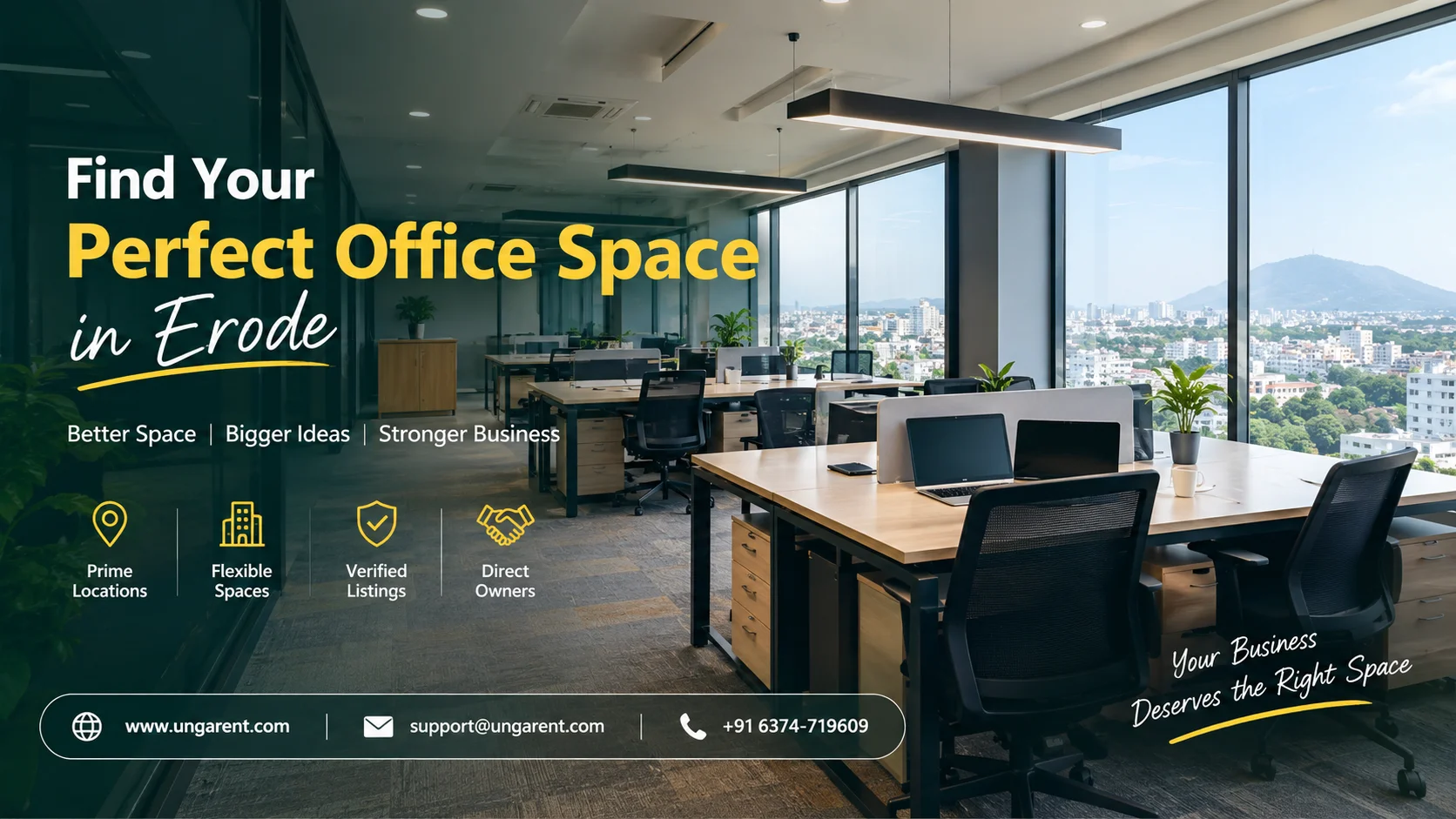
A vacant office is only useful to a business if the right people can see it, understand it and quickly judge whether it fits. Many owners in Erode still rely on a “To-Let” board, word of mouth or a broker’s phone call. These methods work in some cases, but they rarely show the floor area, layout, rent and facilities in one place. An app to list office space in Erode solves this by giving owners a structured page where property details, photographs and location sit together.
In short, an office space listing app is an online platform where owners publish their commercial property details for prospective tenants to find. Choosing one platform and preparing a complete listing usually matters more than posting everywhere. This guide explains what to look for, what to prepare, how to write the description and how UngaRent may fit, based on what is currently visible on its website.
Why Office-Space Owners in Erode Should List Their Properties Online
Online listings let owners do several useful things:
Show details in one place. Floor area, layout, rent and facilities appear together instead of being repeated on every call.
Display photographs and specifications. A tenant can see cabins, open areas and washrooms before visiting.
Help tenants self-qualify. A business that needs 800 sq ft will not enquire about a 300 sq ft room.
Share location conveniently. An accurate address and map pin save directions and confusion.
Update information. Where a platform supports edits, you can change rent or availability without reprinting anything.
Reduce repetitive explanations. A complete description answers the common questions before they are asked.
Results depend on the property’s suitability, location, price, listing quality, market conditions and the platform’s reach. No listing can promise enquiries or tenants, and a good owner plans accordingly.
What Is an Office-Space Listing App?
An office-space listing app is a property-listing platform. It lets owners publish details such as photographs, floor area, address, rent and facilities, and lets businesses browse them. What it offers beyond that depends on the platform.
It is different from other tools owners may hear about:
Office management software helps run day-to-day operations in a building or company.
Coworking management software handles memberships, desk bookings and billing for shared workspaces.
A commercial lease-management system tracks agreements, renewals and rent schedules.
A booking or payment application processes reservations or transactions.
A listing platform may or may not include any of these functions. Never assume a listing app handles contracts, payments or tenant screening. Check the platform’s current features first.
Who Can Benefit from Listing Office Space Online?
Many kinds of commercial owners can use a listing platform, including those with:
Individual office rooms.
Small office units.
Furnished office spaces ready for immediate use.
Unfurnished office spaces that tenants will fit out themselves.
Entire floors in commercial buildings.
Spaces suitable for startups and small businesses, such as consultants, agencies, accountants and local service firms.
Professional units for clinics, legal practices or architects, where the use is permitted.
Larger commercial offices for established companies.
Shared or coworking-style offices, only where the platform accepts that category.
Whatever the type, the description must reflect the actual permitted use and the facilities that genuinely exist. If your building does not allow a certain business activity, say so in the listing instead of letting a tenant discover it later.
What to Check Before Choosing an Office-Space Listing App
Use this checklist to compare platforms. Do not rely on rankings or claims you cannot verify.
Does it accept office-space listings? Look for a commercial or office category.
Is Erode supported for that property category?
Can you add detailed information, not just a title and price?
Can you show photographs and floor area?
Can you communicate rent and lease terms?
Are enquiry or contact options available, and do they suit how you prefer to respond?
Are the listing process and eligibility rules clear?
Are fees or other charges disclosed? If none are mentioned, ask before assuming anything.
Can you update your listing when availability or rent changes?
Does the platform fit your intended tenant? A startup-focused space and a large corporate floor may need different audiences.
If a platform cannot answer these questions on its website, contact its support team before you invest time in preparing a listing.
Details to Prepare Before Listing Office Space
Prospective tenants judge offices on specifics. Gather these before you start:
Property or building name, if applicable.
Complete address and accurate location.
Floor area and the measurement unit used (usually square feet).
Floor level and access arrangements.
Number of rooms or cabins.
Open-plan or divided layout.
Furnished or unfurnished status.
Meeting room availability.
Internet connectivity, only if verified.
Electricity and backup power details.
Air conditioning, if provided.
Washroom facilities.
Parking availability.
Lift and accessibility information.
Security arrangements actually in place.
Monthly rent and security deposit.
Maintenance and utility charges.
Lease duration and conditions.
Permitted uses and restrictions.
Genuine photographs.
Accurate owner contact information.
Specific details save time for both sides. A tenant who knows there is no lift above the second floor, or that backup power is charged separately, can decide without a wasted site visit.
How to List Office Space Online: Step-by-Step Guide
These are general steps that apply to most platforms. Always follow the specific instructions on the platform you choose.
Identify a platform that accepts commercial office listings.
Confirm that it supports your location and property type.
Read the current registration and listing instructions on its website or app.
Collect accurate specifications, using the list above.
Photograph the actual property in good daylight: entrance, reception, work areas, cabins, washrooms and building exterior.
Describe the layout, floor area and furnishing status precisely.
State rent, deposit and additional charges openly.
Add the correct address and relevant landmarks.
Explain available facilities and permitted uses.
Review everything for gaps, typos and mismatched numbers.
Submit and publish as the platform instructs.
Respond to enquiries professionally and promptly.
Update availability and details whenever they change, where the platform supports it.
How to Write an Effective Office-Space Description
A good description is clear, factual and professional. Think of it as the answer sheet to every question a business owner would ask on a first call. Here is a template:
“Office space available for rent in [verified area], Erode. The property offers approximately [verified floor area] of space on [floor level]. The office is [furnished/unfurnished] and includes [verified facilities]. The monthly rent is [verified amount], with a security deposit of [amount and applicable terms]. The space is suitable for [permitted business uses]. For further information or to arrange a visit, contact [verified contact details].”
Replace every placeholder with accurate information before publishing. Never leave brackets in a live listing.
Avoid vague phrases such as “best office,” “all facilities available” or “premium business location.” They tell a tenant nothing. If your office genuinely has reserved parking and a generator, say that instead. Specific claims build trust, while empty superlatives make readers suspicious.
Furnished vs Unfurnished Office Space: What Owners Should Mention
The furnishing status affects a tenant’s setup cost and timeline, so state it clearly.
For furnished offices, list only what is actually provided: desks, chairs, cabins, meeting tables, storage units, air conditioning, partitions or a pantry. Mention whether items are included in the rent or charged separately, and whether the tenant can remove or replace them.
For unfurnished offices, focus on what helps a tenant plan a fit-out: floor area, layout flexibility, number and location of electrical points, natural light, ceiling condition, flooring, and any restrictions on partitions, wiring or signage. State who bears the fit-out cost and whether alterations need your written approval.
Clear furnishing information helps a business estimate its setup budget. A startup may prefer a ready-to-use space, while an established firm may want a blank floor for its own design.
How to Present Office Facilities and Layout Clearly
Present the practical features of your space in an organised way:
Floor area: give the figure and say whether it is carpet area or built-up area.
Rooms and cabins: state the number and approximate sizes.
Open workspace: mention how many workstations it could reasonably hold, only if you can support that estimate.
Meeting areas: specify whether they are dedicated or shared.
Washrooms: note whether they are private or common.
Lift access: say whether a lift exists and which floors it serves.
Parking: describe two-wheeler and four-wheeler availability separately.
Power supply: mention single or three-phase availability and backup arrangements.
Internet: state whether broadband is already installed or the tenant must arrange it.
Accessibility: note ramps, stairs and access for people with mobility needs.
Building access hours, if restricted.
Maintenance arrangements: explain who handles cleaning, repairs and common areas.
Separate confirmed facilities from those requiring extra payment or arrangement. For instance, “generator backup available at additional cost” is clearer than listing backup power as a standard feature. Not every office needs or includes every item above, so describe only what applies.
Why Location Matters for Office-Space Listings
Businesses consider location carefully, because it affects staff commutes, client visits and daily logistics. Provide:
The exact address, including building name, street and locality.
Nearby transport connections, where verified, such as proximity to a bus stop or railway station.
Road access: is the building on a main road or a side lane?
Nearby commercial areas that suit the intended business.
Parking and accessibility around the building.
Nearby services, such as banks, restaurants or print shops, only where you have verified them.
Suitability for the intended business: a consultancy and a service centre need different surroundings.
Do not promise that a location will increase revenue, footfall or business success. Describe the setting factually and let the tenant decide.
Local SEO Tips for Office-Space Owners in Erode
Local search works by matching what people type with what a listing says. To make your listing locally relevant without gaming it:
Include the correct locality and “Erode” naturally in the title and description.
Write a specific description rather than a generic one.
Choose the right property category, such as office space instead of a general commercial label if the option exists.
Upload genuine photographs of your actual office.
Provide an accurate address that matches your map pin.
Keep contact details consistent across the listing and any other place you advertise.
Update rent and availability as they change.
Avoid fake locality keywords and repetitive phrases.
Erode examples such as Erode town, Perundurai Road, Thindal, Surampatti, Veerappanchatram, Moolapalayam or Teachers Colony should appear in a listing only if the property’s actual address confirms it. Naming a popular area to attract attention misleads tenants and damages trust. Local relevance comes from accuracy, not from stuffing area names into a description.
How to Present Rent, Deposit and Lease Conditions
Unclear money terms are one of the fastest ways to lose a serious enquiry. Be transparent about:
Monthly rent, including whether it is fixed or negotiable.
Security deposit and the conditions for its refund.
Maintenance charges and what they cover.
Utility costs, such as electricity, water and internet, and who pays them.
Lease duration, including any lock-in period.
Payment terms, such as due dates and accepted methods.
Fit-out or furnishing responsibilities.
Repair and maintenance arrangements between owner and tenant.
Other applicable charges and conditions.
Document agreed terms in writing, and take qualified legal or professional advice where needed. This article offers general guidance, not definitive legal advice, and rental agreements should be prepared with the right expertise.
Common Mistakes to Avoid When Listing Office Space
Mistake How to correct it Missing floor-area details Measure the space and state the area and unit clearly. Unclear furnished or unfurnished status Say which it is, and list included items. Misleading photographs Use recent, genuine images of the actual office. Incorrect location information Match the address, locality and map pin. Hidden or unclear charges List rent, deposit, maintenance and utilities openly. Incomplete facility details Use your preparation checklist before publishing. Unsupported claims about quality Replace adjectives with verifiable facts. Failure to mention restrictions State permitted uses and building rules upfront. Incorrect contact details Test the phone number and email before going live. Outdated availability Update or remove the listing once the space is let. Generic descriptions Describe the layout, floor, facilities and ideal use. Ignoring enquiries Set a routine to check and reply daily.
How to Handle Enquiries from Potential Office Tenants
Prompt, accurate replies show professionalism. Be ready to answer questions about:
Availability and the earliest possible move-in date.
Floor area and layout.
Rent and deposit.
Furnishing and fit-out requirements.
Electricity and internet.
Parking and building access.
Maintenance charges.
Lease duration.
Permitted business uses.
Property visits and the documents you may ask to see.
Confirm availability before making any commitment, and give the same figures that appear in your listing. Contradicting your own advertisement creates mistrust. Do not assume any platform provides built-in messaging, tenant screening, booking or payment features unless those functions have been verified.
Can You List Office Space in Erode on UngaRent?
UngaRent (https://ungarent.com/) is a property rental platform for owners and tenants. Its official website describes listings across houses, PGs and commercial spaces, and shows a “Commercial” category. The homepage also features an office space listing from Chennai, and its FAQ says owners can list commercial properties. Its site also mentions direct contact between owners and tenants without traditional brokerage involvement.
Checklist Before Publishing Your Office-Space Listing
☐ Correct address and locality.
☐ Accurate floor area.
☐ Clear layout description.
☐ Furnished or unfurnished status stated.
☐ Facilities verified.
☐ Genuine photographs uploaded.
☐ Transparent rent and deposit.
☐ Maintenance and utility charges listed.
☐ Lease conditions explained.
☐ Permitted uses stated.
☐ Contact information correct.
☐ Final review for accuracy.
☐ Platform confirmed to accept your property type.
Frequently Asked Questions
What is the best app to list office space in Erode?
The best app is one that accepts commercial listings, supports Erode, lets you add detailed information and photos, and discloses its terms clearly. Compare platforms on those points rather than relying on rankings. Check current features directly before committing, because platforms change their categories and conditions.
How can I list my office space online in Erode?
Choose a platform that accepts office listings in your area, read its current instructions, and gather accurate specifications and photographs. Enter the address, floor area, rent, deposit and facilities, review everything carefully, then publish according to the platform’s process. Keep the listing updated afterwards.
What details should I include in an office rental listing?
Include the address, floor area, floor level, layout, furnishing status, facilities, parking, power and internet details. Add the monthly rent, deposit, maintenance charges, lease duration, permitted uses and genuine photographs. Finish with correct contact information so serious tenants can reach you easily.
Can I list furnished office space on a property rental app?
Generally yes, if the platform accepts office or commercial listings. State clearly which items are provided, such as desks, chairs, cabins or air conditioning, and whether they are included in the rent. Check the platform’s current rules before listing.
What information should I provide about office floor area?
Give the approximate area and the unit used, usually square feet. Say whether it is carpet area or built-up area, and mention the floor level and layout. Accurate measurements help businesses judge whether the space fits their team and avoid unnecessary visits.
Should I mention the monthly rent and security deposit?
Yes. Stating both upfront saves time for you and for serious tenants. Add maintenance, utility charges and lease terms so there are no surprises later. If the rent is negotiable, say so honestly, and confirm final terms in writing.
How can I make my office-space listing more attractive?
Use clear, recent photographs and a specific description instead of general praise. Include the layout, floor area and verified facilities, and state your charges openly. A complete, accurate listing with a correct location and prompt replies looks more trustworthy than exaggerated claims.
What facilities should I mention in an office listing?
Mention only what actually exists: washrooms, parking, lift access, power backup, internet, air conditioning, meeting rooms and security arrangements. Separate included facilities from those that cost extra. Be accurate, because tenants rely on these details when comparing offices.
How can I improve the local visibility of my office property?
Use the correct locality and “Erode” naturally in the title and description, choose the right category, and upload genuine photos. Keep the address and contact details consistent and update availability. Avoid adding unrelated area names, as that misleads readers and weakens trust.
What should I check before choosing an office-space listing app?
Check that it accepts office listings, supports Erode, allows detailed descriptions, photos and rent details, and explains its process clearly. Confirm whether any fees apply, whether you can edit the listing, and whether the platform suits the type of tenant you want to reach.
Can I list office space on UngaRent?
UngaRent’s website shows a commercial category and an office-space listing example, so commercial listings appear to be supported. However, Erode coverage for office spaces is not confirmed on the homepage. Contact the platform to confirm eligibility and current terms.
How can I attract relevant enquiries for an office property?
Describe the space accurately, price it realistically and show genuine photographs. State the permitted uses so the right kind of business enquires. Respond promptly, keep availability current, and be consistent in the details you share. Results vary and cannot be guaranteed.
Conclusion
Choosing a suitable app to list office space in Erode comes down to a few steps. Confirm that the platform accepts commercial properties in your location, prepare accurate information, and present it clearly. Strong listings state the floor area, layout, furnishing status, facilities, rent, deposit and lease terms plainly. They use genuine photographs and an exact address, and they avoid vague praise.
Location accuracy and transparent rental terms do most of the work, because they help serious businesses decide quickly. Results will still depend on the property, price, market conditions and platform reach, so no listing should be treated as a guarantee.
If you are ready to list, explore UngaRent’s current options, confirm that your Erode office qualifies, and prepare your details using the checklist above. A complete, honest listing is the best starting point you can give your property.
Get started:
📱 Android App: https://play.google.com/store/apps/details?id=com.unga.rent
🍎 iPhone App: https://apps.apple.com/in/app/ungarent/id6757795384
🌐 Website: https://www.ungarent.com